
Less Admin.
More Living.
Your diabetes kit, all in one place.
KitRoo is a journal for Dexcom G7 wearers and their families. Scan the box when a new sensor goes on, keep count of the spares in the cupboard, and have the LOT and serial number to hand if a sensor fails early.
KitRoo is in a private beta, so sign-up needs an invitation for now.
Why I built KitRoo
My son William was diagnosed with type 1 diabetes when he was two. He’s ten now, and he changes his own Dexcom G7 sensors. I love that he has that independence. It also means the box usually ends up somewhere in his room.
When a sensor failed early, we had to work out which box it came from and when it went on before we could ask Dexcom for a replacement. Keeping every empty box just in case was a pain. And we usually found out we’d run out when William told us there were none left.
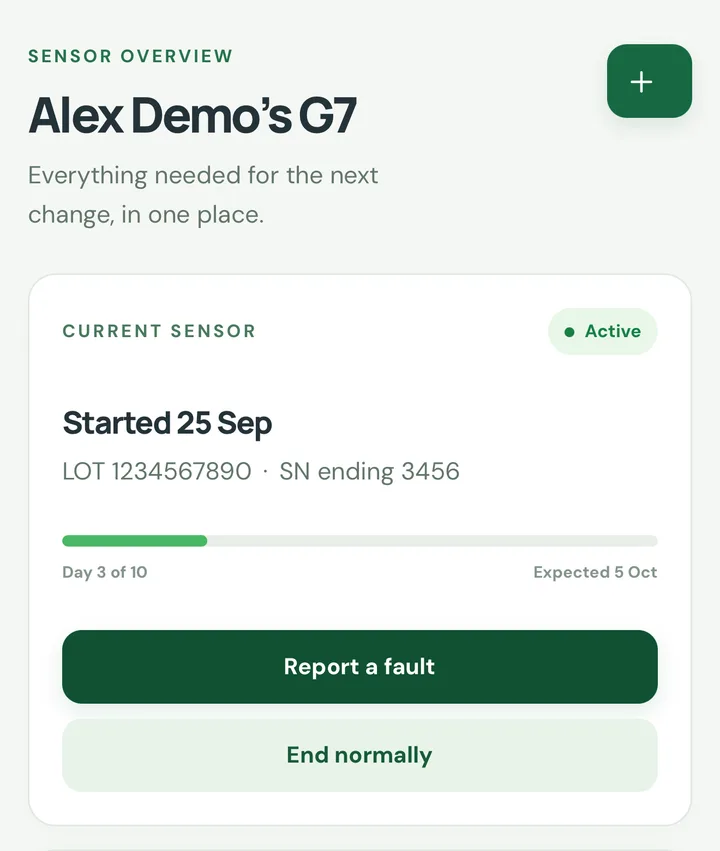
KitRoo has made a big difference for us. When William starts a sensor, its details are saved and the whole family can see every change and failure. We have what Dexcom needs when we ask for a replacement, and we get a warning before we run out.
Dan, William’s dad
How it works
Scan the box when you start a sensor
Point your camera at the square code on the side of the box. KitRoo reads the LOT and serial number, and you check them before saving. If the code won’t scan, type the numbers in instead.
See how many sensors you have left
The count goes down when you start a sensor and up when you log a delivery. KitRoo estimates when you’ll run short, based on how long your sensors actually last.
Record a fault while it’s fresh
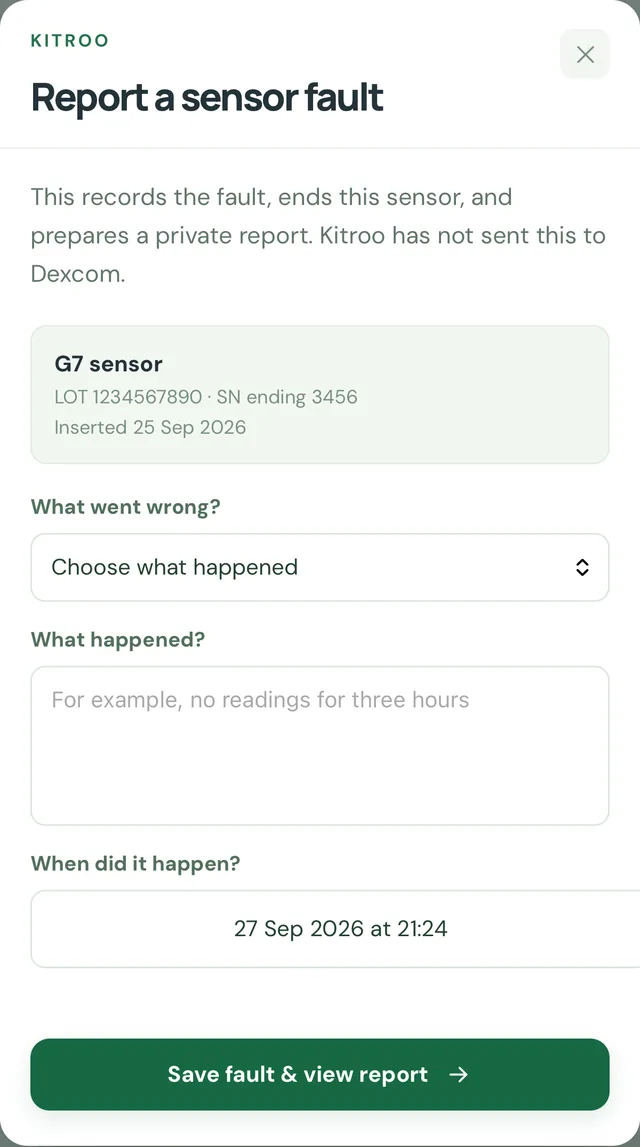
Note what went wrong and when. The report stays linked to that sensor, ready for an adult to review before anyone contacts Dexcom.
For one person, or the whole family
Adults can use KitRoo just for themselves. Adding a child is optional.
- Each wearer has their own sensor history, stock count and saved answers.
- A parent can pair a child’s phone with a one-time QR code. The child can log their own sensor changes, and their phone only sees their own profile.
- Stock, fault reports and anything sent to Dexcom stay with the adult.
Reporting a failed sensor to Dexcom
Every account
KitRoo puts the sensor’s details and your answers into a report summary. Use it on Dexcom’s online form or when you phone them, then save the case reference they give you.
Premium beta
For eligible UK G7 faults, an adult reviews the report and KitRoo sends it through Dexcom’s official form. It’s only marked as sent once Dexcom confirms it has the case. Premium is open to selected beta testers and doesn’t have a price yet.
Questions
Something else? Email [email protected].
Can I sign up today?
KitRoo is in a private beta. If you have an invitation, you can create an adult account and verify your email. Otherwise, join the waitlist and we’ll send you one when there’s a place.
Which devices does KitRoo support?
Dexcom G7 only, for now. KitRoo works in the browser on your phone or computer, and iPhone and Android apps are being tested. Other CGMs and pumps aren’t supported yet.
Does KitRoo send my report to Dexcom?
For selected Premium beta accounts, an adult can review and send eligible UK G7 reports from KitRoo, and the Dexcom reference is saved once Dexcom confirms it. Everyone else, and some fault types, use the saved report with Dexcom’s own form or phone line.
Does it show glucose readings or give treatment advice?
No. KitRoo keeps track of your kit, stock and support details. It doesn’t show glucose readings, control a device or give treatment advice. Keep using your usual CGM app and care team.
What happens to my information?
Your journal is stored on the KitRoo server and only your account can open it. A child’s paired phone can only see that child’s profile. The box scanner reads the code without saving a photo. The privacy notice has the details, or email [email protected].
Want to try it?
We’re inviting a small number of G7 wearers and families to test KitRoo. Leave your email and we’ll send you an invitation when there’s a place.